Add stablecoin payments to your site
From a payment link with no code to your own payment screen with the API. Pick how you charge and how the payment looks on your site.

Put the payment where it fits your site.
Send customers to our checkout, open it from a button, show it inside your page, or build your own with the API. Try each option below: every demo runs on this page, with sample data that can’t be paid.
Pay button
One line of HTML
Our script draws a button that opens the checkout in a window over your page, and tells your page when the payment is confirmed.
Ceramic mug25.00 USDCTotal25.00 USDC
Opens a sample checkout in a new window. It can’t be paid.
<script defer src="https://payments.cosmospay.lat/embed/cosmos-pay.js"></script> <!-- link: your payment link's id, from the dashboard or the API --><cosmos-pay-button link="cmh9a1q7r0000l208x9k4d1pz"></cosmos-pay-button> <script> document.querySelector("cosmos-pay-button") .addEventListener("cosmospay:paid", showThanks);</script>Hosted checkout
No code on your site
Send your customer to a checkout page we host. Pick one of four designs per link; no other site can frame the page.
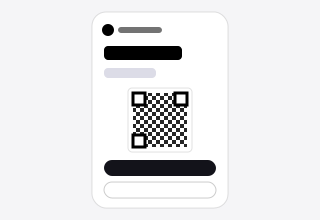
One clean column: amount, live status, QR code and the payment details.
Open the sample checkout (opens in a new tab)<!-- Send your customer to the hosted checkout. Its design (classic, split, ticket or card) is set on the link, in the dashboard or with the API (checkoutTheme). --><a href="https://payments.cosmospay.lat/cmh9a1q7r0000l208x9k4d1pz"> Pay with Cosmos Pay</a>Payment links and QR
No code
Create a link in the dashboard and share it by chat, email or a printed QR code. Your customer opens it and pays from their wallet.
Your link
payments.cosmospay.lat/cmh9a1q7r0000l208x9k4d1pzPayment request
Test network: no real funds move
25.00 USDC
You choose the amount in your wallet.
Order #1001
Awaiting payment

API and SDK
Your own interface
Create payment intents from your server, draw your own payment screen and hear back through signed webhooks.
Choose an amount and send the request: the console shows what the API answers and the webhook your server receives.
Nothing leaves this page: the shapes are the API’s, the values are samples.
import { Client } from "@cosmosapp/pay_sdk"; const client = new Client({ apiKey: process.env.COSMOS_PAY_API_KEY });const intent = await client.paymentIntents.createPay({ destination: "G…YOUR_ACCOUNT", amount: "25",});// send your customer to the hosted checkoutconst checkoutUrl = "https://payments.cosmospay.lat/" + intent.id;E-commerce plugins
Coming soon
WooCommerce and Shopify plugins, to take payments in your store without writing code.
Whatever you choose, confirm the payment on your server through the webhook or the API.
A few lines of code.
Create the payment on your server, share the checkout link, and let the webhook tell you when it is paid.
- A REST API documented with OpenAPI
- A TypeScript SDK: @cosmosapp/pay_sdk
- Webhooks signed with HMAC-SHA256
- Test keys (dv_) and live keys (prod_)
curl https://api.cosmospay.lat/cosmos-api/v1/payment-intents/pay \ -H "Authorization: Bearer $COSMOS_PAY_API_KEY" \ -H "Content-Type: application/json" \ -d '{ "chain": "stellar", "destination": "G…YOUR_ACCOUNT", "amount": "25", "assetCode": "USDC", "assetIssuer": "GA5ZSEJYB37JRC5AVCIA5MOP4RHTM335X2KGX3IHOJAPP5RE34K4KZVN", "msg": "Order #1001", "checkoutTheme": "ticket" }'import { Client } from "@cosmosapp/pay_sdk"; const client = new Client({ apiKey: process.env.COSMOS_PAY_API_KEY });const intent = await client.paymentIntents.createPay({ destination: "G…YOUR_ACCOUNT", amount: "25",});// send your customer to the hosted checkoutconst checkoutUrl = "https://payments.cosmospay.lat/" + intent.id;{ "id": "evt_01JB…", "type": "PAYMENT_INTENT_SUCCEEDED", "createdAt": "2026-10-24T22:36:56.000Z", "data": { "id": "cmh9a1…", "status": "SUCCEEDED", "amount": "25", "txHash": "6864…2e54" }}# The response’s id is the link: https://payments.cosmospay.lat/<id>
Three ways to start charging.
Start with a link today and move to the API when you need it. Every path uses the same checkout, dashboard and webhooks.
Payment links
No code
Create a link in the dashboard and share it by chat, email or QR code.
- A fixed amount, or one the payer chooses
- A message the payer sees in their wallet
- Live status in the dashboard
Hosted checkout
Low code
Send customers to a checkout we host, with the QR code, wallet buttons and live status.
- Four ready-made designs
- In English, Spanish, Portuguese, French, German, Hindi and Chinese
- Pages no other site can frame
Payments API
Full control
Create payment intents from your server and hear back through signed webhooks.
- REST, documented with OpenAPI
- A TypeScript SDK
- Webhooks signed with HMAC-SHA256
Start accepting stablecoins.
Create a free account, mint a test key and send your first payment link today.